
Destructuring in JavaScript

1. What destructuring means
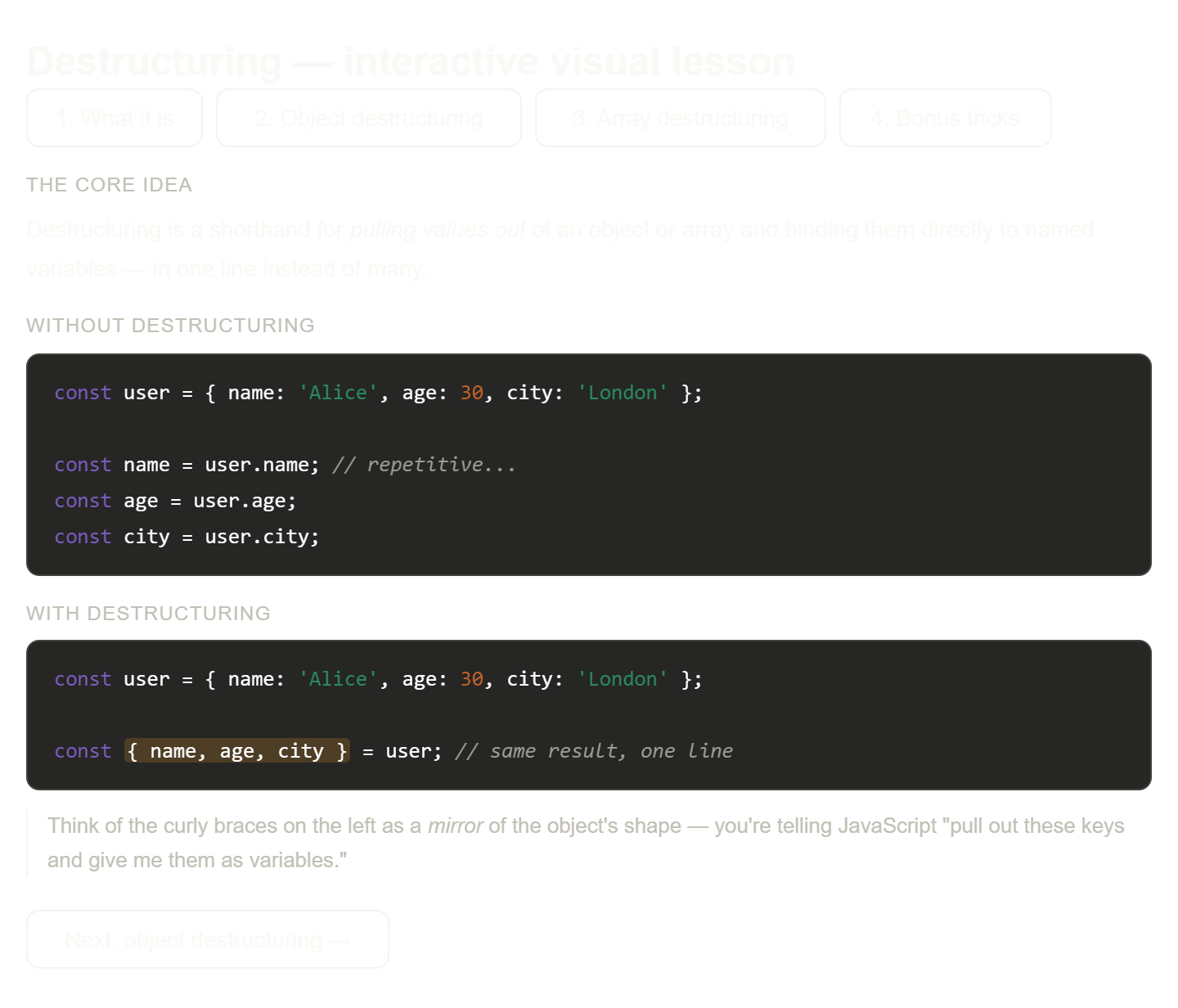
Here's your full interactive visual lesson on destructuring! Click through each of the four tabs to move from the core concept all the way to bonus tricks.
Here's how the lesson is structured, so you can use it as a mental map:
What it is establishes the core intuition — destructuring is essentially a mirror. You write a pattern on the left-hand side that reflects the shape of the data on the right, and JavaScript extracts the matching values into variables for you. The key insight is that it doesn't do anything new — it just collapses three or four repetitive obj.property assignments into one elegant line.
Object destructuring is where most people start, because objects are so common. Notice the visual in that tab: keys from the object fan out into individually named variables, each coloured differently so you can trace exactly which value went where. The "rename" and "default" features are worth paying close attention to — they solve two very common real-world problems (your variable name doesn't match the API key, or a field might be missing).
Array destructuring works on the same principle but uses position instead of names. This is why you can name the variables anything you like — const [lat, lng] = coords or const [x, y] = coords produce exactly the same result. The variable swap trick ([a, b] = [b, a]) is one of those moments where destructuring goes from "nice shorthand" to genuinely elegant.
Bonus tricks brings it all together with nesting and rest syntax. The cheatsheet at the bottom of that tab is designed to be a quick reference you can mentally scan whenever you're writing destructuring and can't quite remember the syntax for renaming or skipping.
2. Destructuring arrays
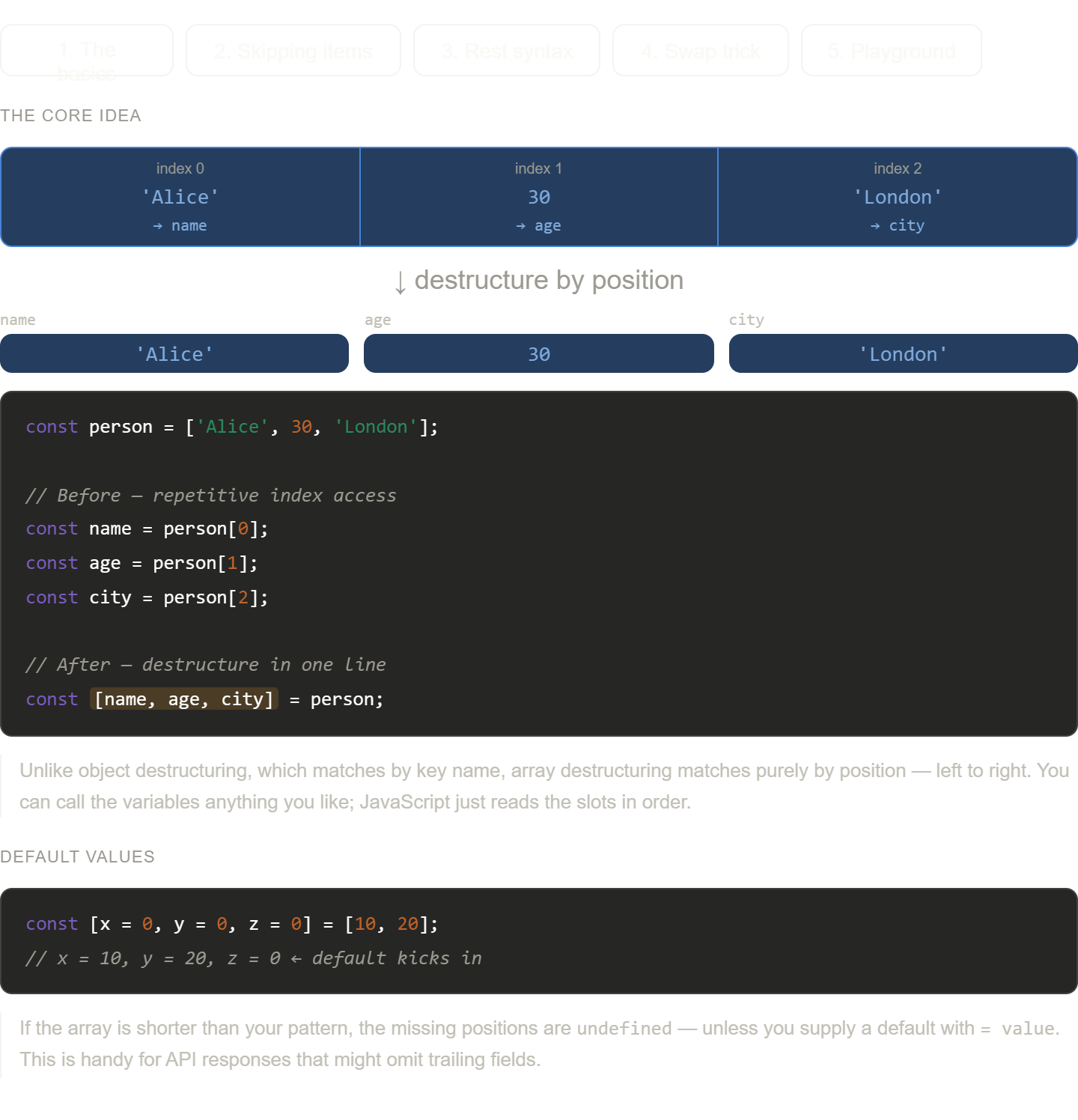
Here's your dedicated deep-dive on array destructuring, with five tabs to explore each concept hands-on. Tab 5 has a live playground where you can type any pattern and see variables resolve in real time.
The most important thing to internalise about arrays versus objects is the matching rule. Object destructuring matches by name — the key name in your pattern finds the key name in the object. Array destructuring matches by position — whatever is at index 0 in the array goes into the first variable in your pattern, regardless of what you call it. This is why const [x, y] = [10, 20] and const [lat, lng] = [10, 20] produce exactly the same result.
That positional rule is also what makes skipping so elegant. A bare comma isn't nothing — it's a placeholder that says "consume this slot, but I don't want a variable for it." So const [, second] = arr reads: skip index 0, bind index 1 to second. Once you see commas as position-holders, the pattern becomes very readable.
The rest syntax (...rest) is worth paying close attention to because it always produces an array, even when only one element remains, and an empty array when nothing remains. That consistency means you can safely call .map() or .length on rest without checking first — there's no undefined surprise.
The swap trick ([a, b] = [b, a]) is one of those things that looks like magic until you understand what's happening: JavaScript evaluates the entire right-hand side first, creating a temporary array [b, a] with the current values frozen in place, and only then does the left-hand side assignment happen. Because the evaluation is complete before any variable is touched, there's no overwrite problem — which is exactly why the old three-variable temp approach was necessary before destructuring existed.
A good mental exercise: take any function in your current code that accesses array indices like row[0], row[1], row[3] — that's a perfect candidate for destructuring with skips. The pattern const [date, name, , salary] = row instantly makes the intent of those indices readable.
3. Destructuring objects
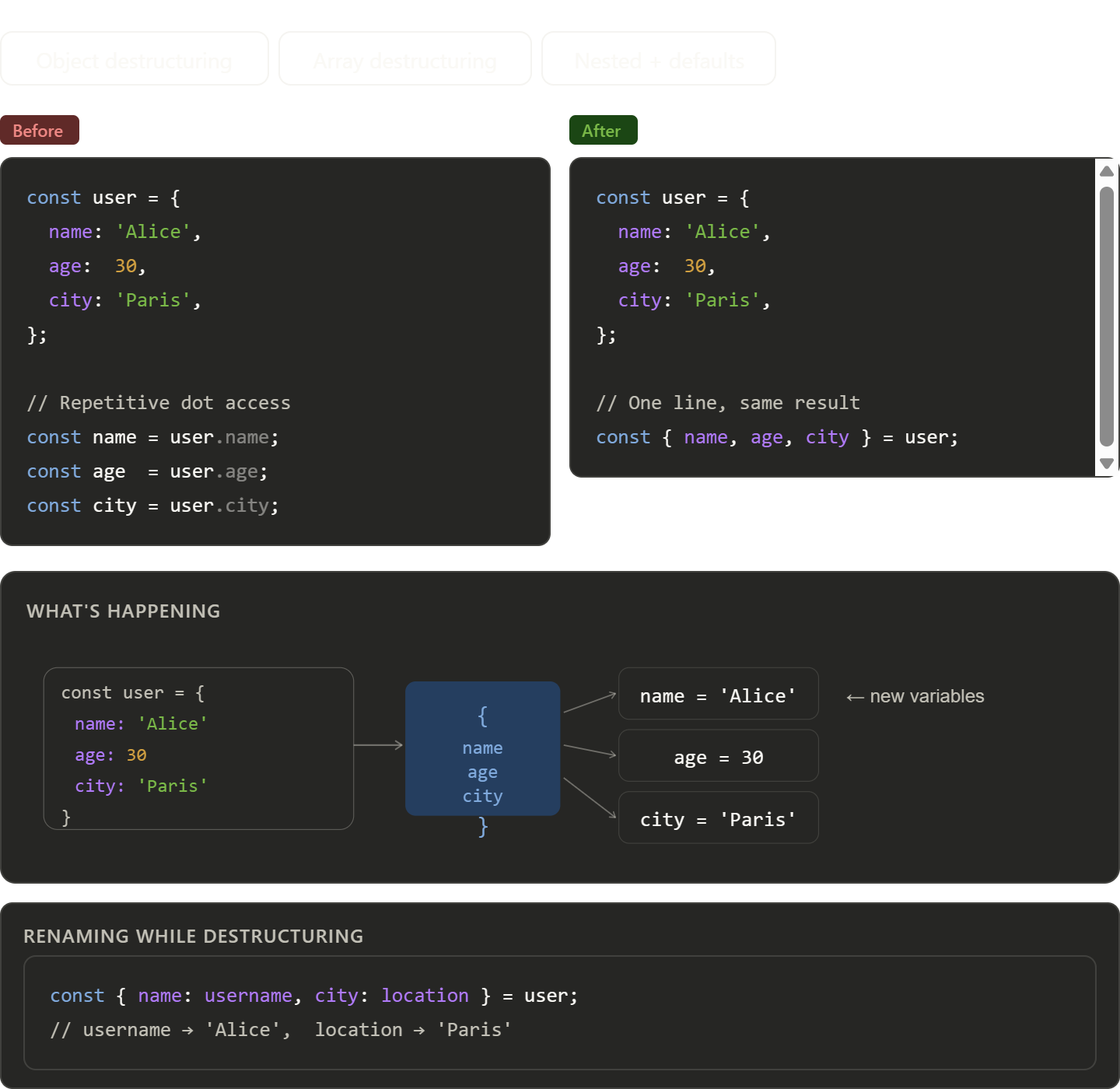
Here's a breakdown of what the widget covers across the three tabs:
Object destructuring shows the before/after side-by-side and the visual extraction diagram — the key insight being that { name, age, city } = user pulls all three keys in one declaration instead of three separate lines of user.x. You can also rename on the fly with { name: username }.
Array destructuring maps array positions to named variables by order, not by key. The "skip with a comma" trick (, ,) and the variable-swap pattern ([a, b] = [b, a]) are two of the most practical uses beyond basic extraction.
Nested + defaults covers the real-world scenarios you'll actually hit: digging into nested objects in one expression, providing fallbacks for missing keys, and destructuring directly in function parameters — which is especially clean for config-style arguments.
4. Default values
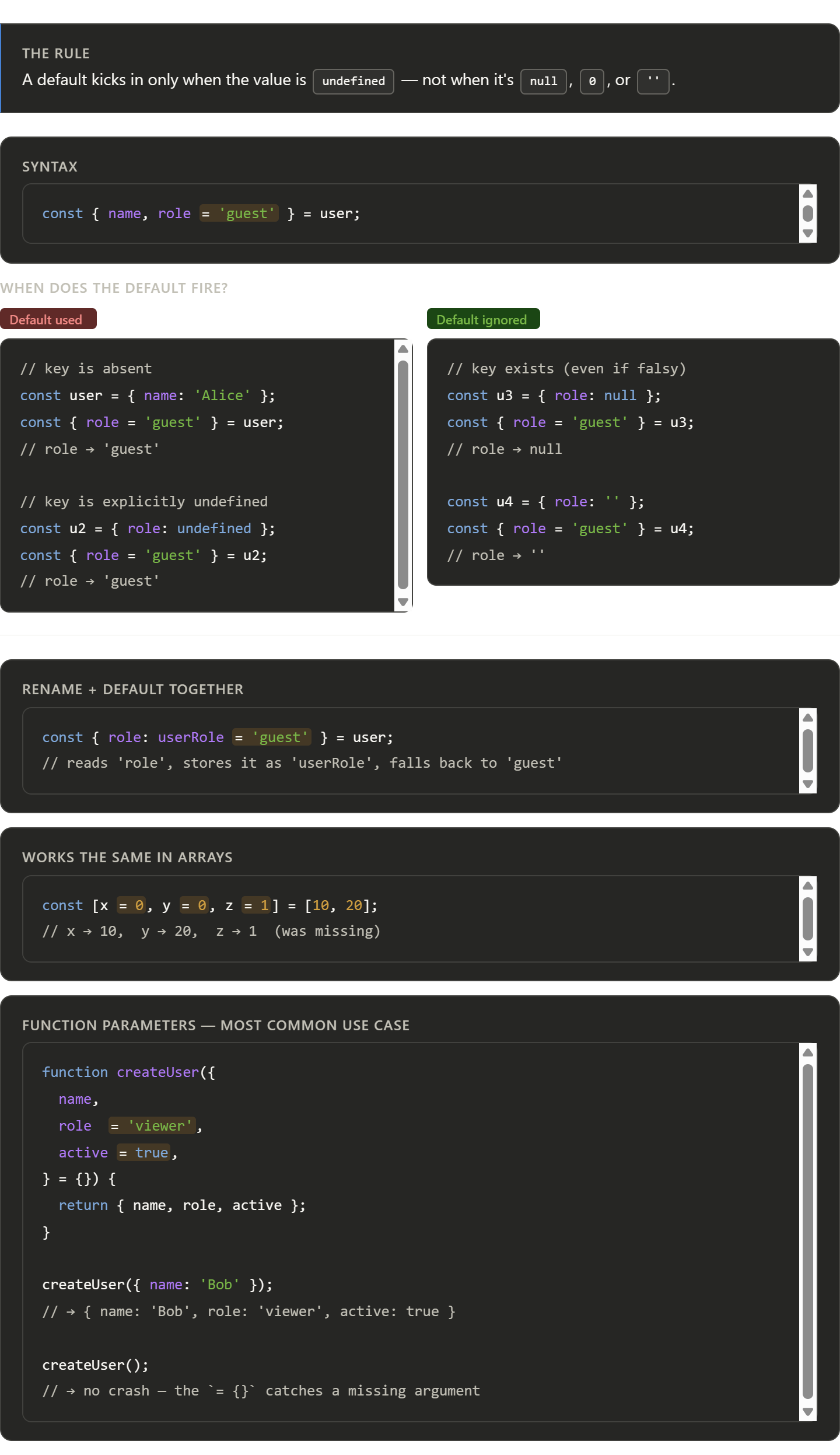
The most important thing to remember: defaults are only about undefined. This catches developers off guard when they pass null intending "no value" — the default won't fire, because null is a real value that was explicitly provided.
The = {} at the end of the function parameter (} = {}) is a particularly useful pattern — it makes the entire options object optional, so calling createUser() with no argument at all won't throw.
5. Benefits of destructuring
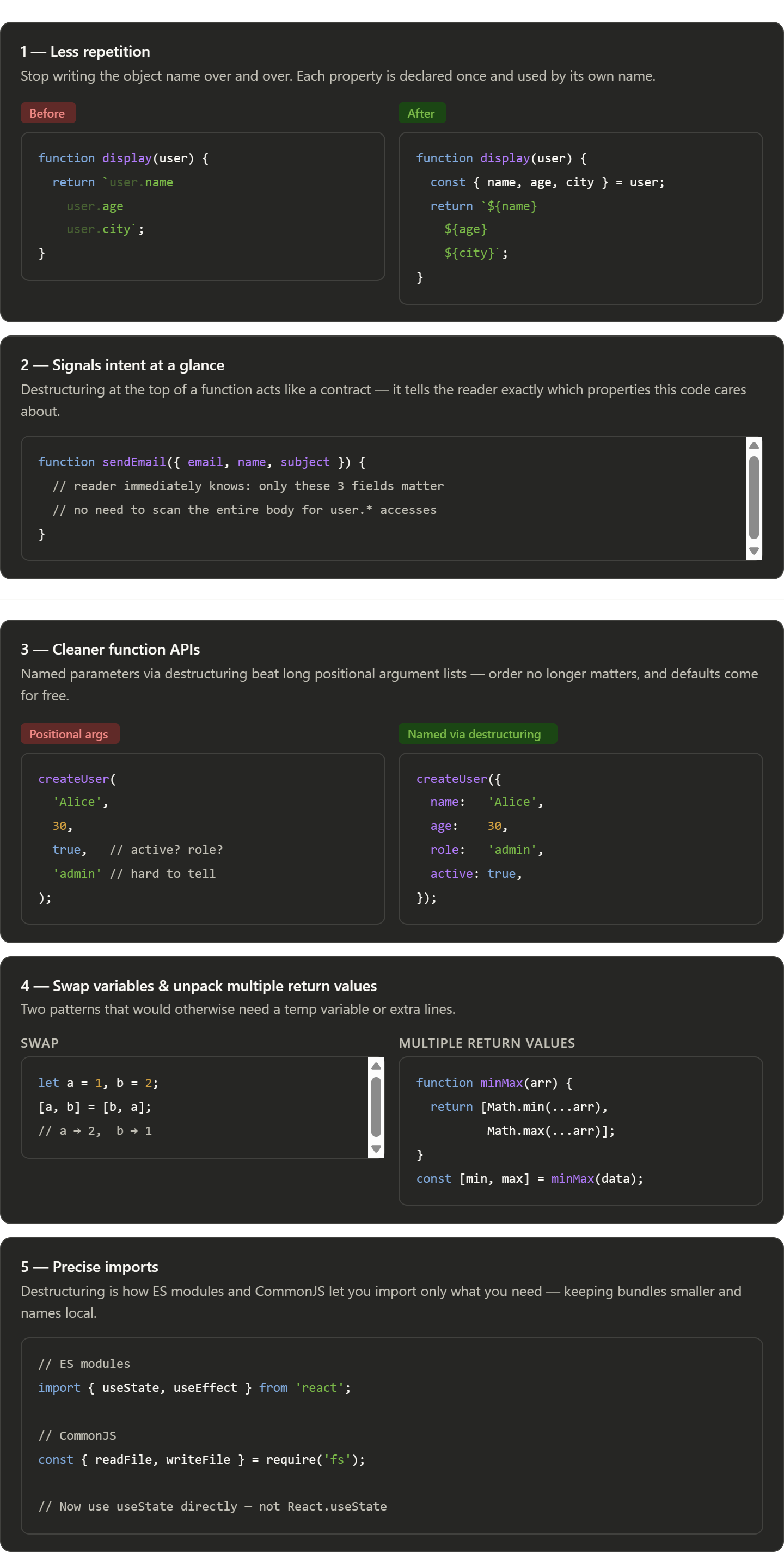
Five practical benefits, roughly in order of how often they matter day-to-day:
Repetition is the most immediate win — once you destructure, the object name disappears from the rest of the function body. Signalling intent is subtler but pays off in code review and onboarding: a destructure line at the top is essentially a summary of what the function needs. The named parameters pattern is especially valuable in libraries and shared code, where calling createUser({ name, role }) is far more readable six months later than createUser('Alice', 30, true, 'admin'). The last two — swapping and imports — are specific situations where destructuring is simply the idiomatic way to write JavaScript.


